AL Code as per below
Create New Report with having barcode image.
In RDL design add image type control and put the barcod2 variable into that like we do normally for Picture control.
<img class=" wp-image-250 aligncenter" src="https://www.navwithnav.com/wp-content/uploads/2022/09/Screenshot-2022-09-29-at-12.37.08-PM-300x142.png" alt="" width="473" height="224" />
Global Variable
<div> var</div>
<div> BarCode2: text;</div>
<div></div>
<div><img class="wp-image-251 aligncenter" src="https://www.navwithnav.com/wp-content/uploads/2022/09/Screenshot-2022-09-29-at-12.37.20-PM-300x56.png" alt="" width="594" height="111" /></div>
<div></div>
<div><img class=" wp-image-252 aligncenter" src="https://www.navwithnav.com/wp-content/uploads/2022/09/Screenshot-2022-09-29-at-12.37.27-PM-300x45.png" alt="" width="587" height="88" /></div>
<div>
<div></div>
<div></div>
<div></div>
<div>Run the report in BC and see the output, it will give you a QR Code as image.</div>
<div></div>
<div></div>
</div>
Back to Series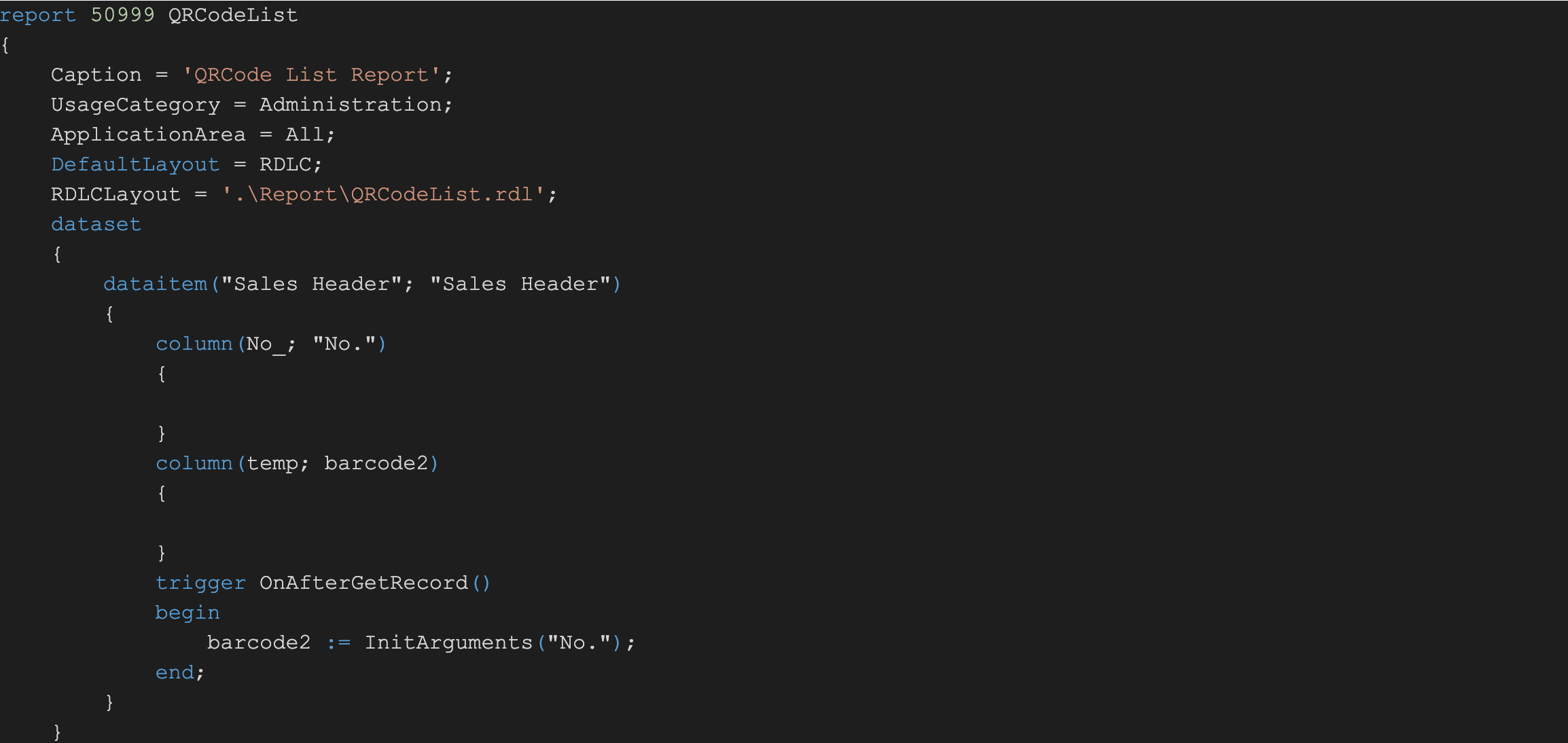
Uncategorized
Generate QR code in Business Central using Third party Webservice link
AL Code as per below Create New Report with having barcode image. In RDL design add image type control and put the barcod2 variable into that like we do normally for Picture control. ...
NitinSeptember 23, 2022 1 min read
Business CentralAL ProgrammingBarcodeReports
Share this Article
0
0
Discussion (0)
No comments yet. Be the first to share your thoughts!
Newsletter
Stay updated with the latest Business Central development tips.

Nitin Verma
Solution Architect
Extensive experience specializing in Microsoft Dynamics NAV, Business Central, Power Platform, and ERP Architecture.
Read full bioSearch Articles
Monthly Archive
Loading...